Finding Icons on the Screen
Watch this topic in 60 seconds
Free preview · Lesson 1
Understanding Finding Icons on the Screen
Welcome to the World of Screens and Icons!
Hello, young explorers! Today, we're going on a super fun treasure hunt. But instead of looking for treasure in a sandpit, we're going to look for special little pictures on a screen!
What is a Screen?
Imagine your TV at home, or your grown-up's phone, or a computer. The part that lights up and shows you pictures and videos? That's called a screen! It's like a magical window that shows us many exciting things.
What are Icons? (The Little Picture Signs!)
Now, let's talk about our treasure: icons! An icon is a tiny, helpful picture you see on a screen. Think of icons like little signs. Just like a stop sign tells cars to stop, or a picture of an ice cream cone tells you there's yummy ice cream inside a shop, icons tell us what a button or program does.
Analogy Time! Imagine you have a big toy box, and inside are all your favorite toys. If you want to find your toy car, you could look at every single toy, right? But what if there was a little picture of a car stuck on the outside of the box where the cars are kept? That picture would be like an icon! It helps you find your cars super fast!
On our screens, icons are like those little pictures on toy boxes. They help us find and open different games, stories, or tools.
Where Can We Find Icons?
Icons live all over the screen! They might be lined up in rows, or scattered like little jewels. They are usually bright and colorful so they are easy to spot. Look closely at your screen – do you see any small pictures?
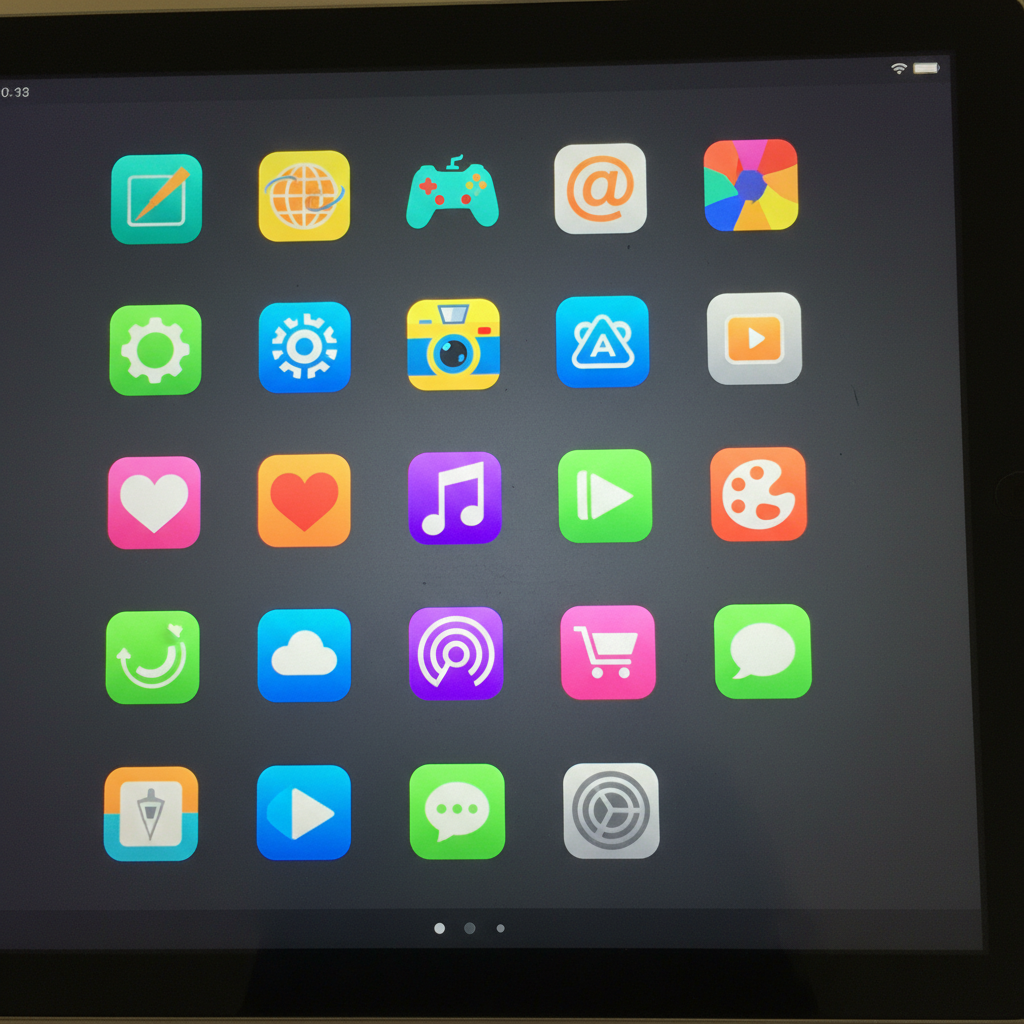
Let's look at an example. Here's a picture of a screen with lots of different icons:
What Do Icons Do?
When you see an icon you like, like a picture of a game controller, what happens if you gently touch it with your finger (on a tablet or phone) or click it with a mouse (on a computer)? POOF! Just like magic, it opens up the game for you to play! Each icon is like a secret door to a different adventure.
Another Analogy! Think about when you want to listen to a specific song on a music player. You don't just randomly push buttons! You look for the button that has a picture of a music note or a play symbol. That picture (the icon) tells you exactly what to push to make the music start. Icons on our screens work the same way!
How to Find Your Favorite Icons
Finding icons is like playing 'I Spy' with pictures!
- Look Carefully: Scan the whole screen. Let your eyes dance from one side to the other.
- Spot the Picture: Do you see a picture of a camera? That icon will open your camera! Do you see a little house? That might be the 'Home' icon, taking you back to the main screen.
- Touch or Click: Once you find the icon you want, gently touch it (if it's a touch screen) or click it with your mouse.
It's super important to remember what different icons look like. The more you play and explore, the better you'll get at finding them!
Here’s someone pointing right at an icon, ready to open it:

Why are Icons Important?
Icons help us use computers and tablets without needing to read lots of words. Since they are pictures, even little kids can learn what they do! They make our screens friendly and easy to understand.
So, the next time you see a screen, remember to look for those helpful little picture-signs – the icons!
Keep learning, free
Create a free Syllabax account to unlock practice questions and games for this topic.
Visual Learning Enhanced! 🚀
To help you master this topic, we use Advanced Syllabax AI to generate detailed diagrams and visual models.
Note on Visuals: The AI sometimes makes spelling errors in image labels. Please refer to the lesson text for the correct terminology.