Recognizing Online Threats: Phishing & Scams
Watch this topic in 60 seconds
Free preview · Lesson 1
Understanding Recognizing Online Threats: Phishing & Scams
Welcome, Digital Detectives! Spotting Tricky Online Threats!
Hello, future internet superstars! The internet is an amazing place, full of fun games, helpful information, and ways to connect with friends and family. It's like a giant, magical playground! But just like any playground, sometimes there are tricky situations or people who aren't playing fair. Today, we're going to learn how to be super smart and stay safe online by recognizing two tricky types of online threats: Phishing and Scams. Think of us as online detectives, looking for clues to keep ourselves safe!
What Are Online Threats?
An online threat is anything that tries to trick you, steal your information, or make you do something you shouldn't, while you're using the internet. It's like a sneaky monster trying to get your secret snack stash! But don't worry, once you know what to look for, these monsters aren't so scary.
Analogy Time! Imagine you're playing hide-and-seek. An online threat is like someone hiding and trying to trick you into going to the wrong spot or telling them where your friends are hiding. But you're smart, and you know their tricks!
Unmasking Phishing: The Tricky Fishers!
First up is Phishing. This word sounds a lot like 'fishing,' right? That's because it's exactly what it is! Phishing is when bad guys (we call them 'phishers') try to 'fish' for your personal information by pretending to be someone trustworthy. They usually do this through emails, text messages, or messages on social media.
What Information Are They Fishing For?
They want your 'treasure' – your personal information! This could be things like:
- Your password for a game or website.
- Your home address or phone number.
- Your parents' credit card numbers (which you should NEVER share!).
- Any other private information that helps them pretend to be you or your family.
Analogy Time! Think of a fisher using a yummy-looking, fake worm on a hook to catch a fish. Phishers use fake emails or messages that look real and inviting (the 'worm') to 'hook' your personal information (you are the 'fish'). They want you to bite the bait!
 ⚠️ This picture may have spelling mistakes. Trust the words in the lesson.
How to Spot a Phish! (Your Detective Clues!)
Becoming a phishing detective means looking for clues. Here are some BIG red flags to watch out for:
-
1. Spelling and Grammar Mistakes: Real companies and websites usually have perfect spelling and grammar. If you see lots of typos or weird sentences, it's a huge clue that something is fishy!
Analogy Time! Imagine your teacher sending a note home, but it has lots of spelling errors. You'd probably wonder if it was really from your teacher, right? Phishing emails are like that messy note!
-
2. Super Urgent Messages: Phishers often try to scare you or make you act fast without thinking. They might say, "Your account will be deleted in 5 minutes! Click here NOW!" or "You've won a million dollars, but you must click this link IMMEDIATELY!" They want you to panic.
Analogy Time! This is like someone yelling "Fire!" when there's no fire, just to make everyone run in a specific direction. They want you to react quickly without checking if it's true.
- 3. Strange Sender Email Addresses: Look closely at the sender's email address. If it's supposed to be from a big company like Roblox or Disney, but the email address is something weird like 'gamemaster123@notarealcompany.com' instead of 'noreply@roblox.com', it's fake!
-
4. Links That Look Suspicious: Phishers often put links in their messages. If you hover your mouse over the link (DON'T CLICK IT! Just hover!), you can see where it really goes. If it's supposed to go to a popular website but shows a super long, confusing address, it's probably a trick.
Analogy Time! A suspicious link is like a secret tunnel sign that says 'To Candyland!' but when you peek, it actually leads to a muddy pit! Always check where the tunnel *really* goes before you enter.
- 5. Asks for Personal Information: Remember, real companies usually don't ask you to send your password or other secret information through an email or text message. If they ask, it's a major red flag.
Understanding Online Scams: The Tricky Pretenders!
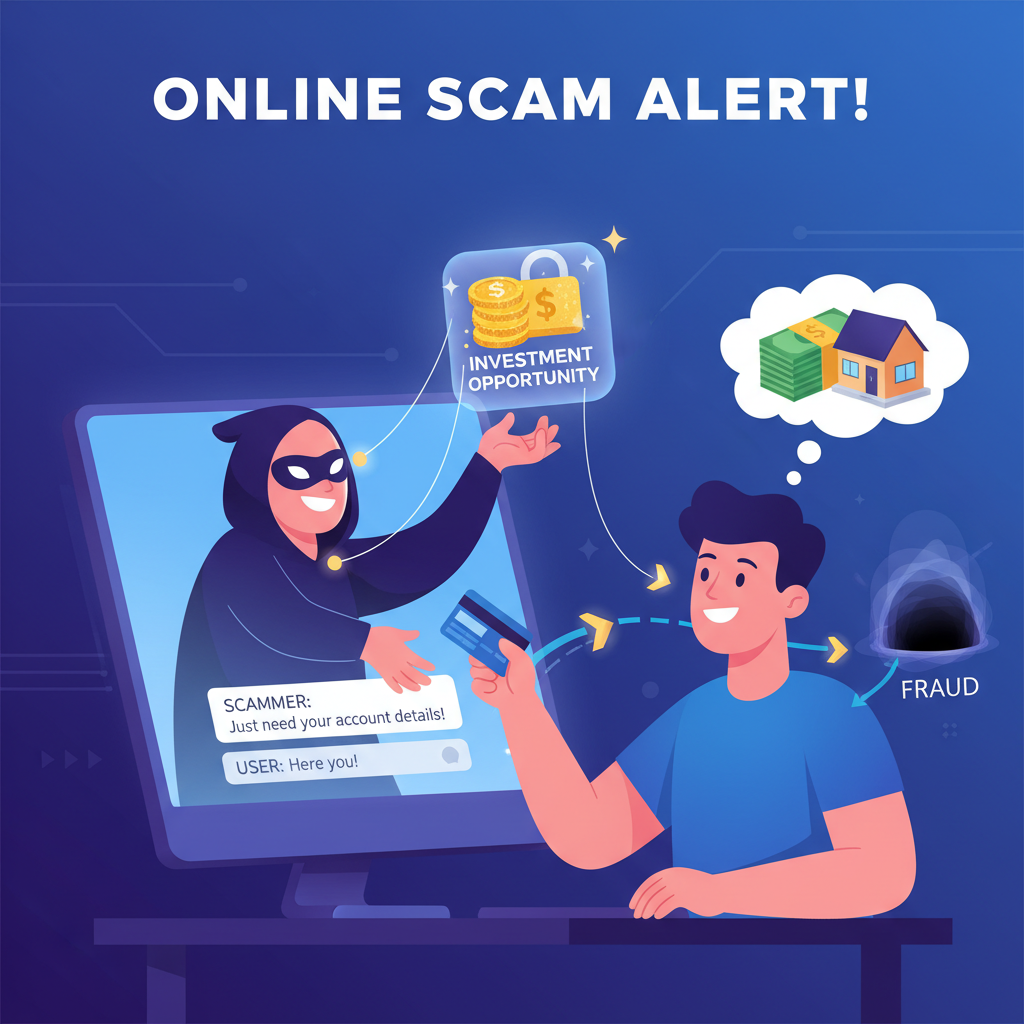
Next, let's talk about Online Scams. A scam is when someone tries to trick you into giving them money or something valuable by making up a story or pretending to be someone they're not. Scams can happen in many ways, not just emails – they can be on websites, social media, or even in online games.
What Do Scammers Want?
Scammers want your trust, and then your money, or sometimes they want you to give them something valuable that belongs to you or your family.
Analogy Time! Imagine a wolf dressing up in Grandma's clothes to trick Little Red Riding Hood. The wolf is the scammer, the clothes are their fake story, and Little Red Riding Hood is you!
How to Spot a Scam! (More Detective Clues!)
Here are some common clues to help you spot a scam:
-
1. Too Good to Be True: If something sounds absolutely amazing, like winning a brand new game console for free just by clicking a link, or getting unlimited Robux for answering a survey, it's probably a scam. Real rewards usually require real effort or a purchase.
Analogy Time! If someone offers you a giant chocolate cake the size of a car for free, just for giving them your house keys, you'd know it's a trick, right? Things that are too good to be true usually are!
- 2. Asking for Money Upfront: Scammers often ask you to send them money first to get a prize, a job, or to help someone in trouble. For example, "Pay $50 to unlock your million-dollar prize!" This is a huge NO-NO.
- 3. Creating Urgent Situations: Just like phishers, scammers try to rush you. They might say, "This special offer ends in 10 minutes!" or "Help your friend who is stuck and needs money NOW!" They don't want you to have time to think or ask an adult.
- 4. Pretending to Be Someone Else: Scammers might pretend to be a game administrator, a famous person, a distant relative, or even a friend whose account was hacked. They might tell you a sad story to make you feel sorry for them and want to help.
- 5. Asking You to Download Unknown Software: Never download programs or apps from links in suspicious messages or websites. These can contain viruses or other harmful things that damage your computer or steal your information.
Your Superhero Powers: Staying Safe Online!
Now that you're a super detective, here are your superhero powers to stay safe:
- STOP! THINK! ASK! If something feels weird or too good to be true, STOP what you're doing. THINK about the clues we learned. And always, always ASK a trusted adult (parent, guardian, teacher) before clicking any links, sharing information, or making any decisions online.
- Keep Your Personal Information Secret: Your name, address, phone number, passwords, and your parents' financial information are like your secret superhero identity. Don't share them with strangers online or in suspicious messages.
- Use Strong Passwords: Make your passwords like a secret code only you (and your trusted adults) know. Use a mix of letters, numbers, and symbols.
- Don't Click Suspicious Links: When in doubt, don't click! If you think a message from a company might be real, go directly to their website by typing the address yourself, instead of clicking a link in an email.
- Report Suspicious Activity: If you see something that looks like phishing or a scam, show it to a trusted adult right away. They can help you report it so others don't get tricked.
You are now equipped with fantastic detective skills to navigate the internet safely. Remember, the internet is a wonderful place, and by being smart and careful, you can enjoy all its amazing benefits while staying safe from sneaky threats!
Keep learning, free
Create a free Syllabax account to unlock practice questions and games for this topic.
Visual Learning Enhanced! 🚀
To help you master this topic, we use Advanced Syllabax AI to generate detailed diagrams and visual models.
Note on Visuals: The AI sometimes makes spelling errors in image labels. Please refer to the lesson text for the correct terminology.