Perimeter of simple shapes [Perimeter (Intro)]
Watch this topic in 60 seconds
Free preview · Lesson 1
Understanding Perimeter of simple shapes [Perimeter (Intro)]
Understanding Perimeter: Walking Around the Edge!
Hello, young mathematicians! Today, we're going on an adventure to learn about something super cool called perimeter. Don't worry, it sounds like a big word, but it's actually a very simple idea. Think of it like this: imagine you're a tiny ant, and you want to walk along the very edge of a shape, all the way around until you get back to where you started. The total distance you walk is the perimeter!
What is Perimeter?
Perimeter is simply the total distance around the outside of a shape. It's like tracing the border of a picture frame, or the fence around a garden, or the edge of a table. We add up the lengths of all the sides of a shape to find its perimeter.
Let's Use Some Analogies!
To really understand perimeter, let's think about some everyday things:
1. The Walking Ant
Imagine a tiny ant named Andy. Andy lives in a square-shaped house. To get from his front door, walk along all the walls of his house, and end up back at his front door, he has to walk the entire length of each wall. If each wall is 5 steps long, Andy takes 5 steps along the first wall, 5 steps along the second, 5 steps along the third, and 5 steps along the fourth. To find how far Andy walked in total, we add: 5 + 5 + 5 + 5 = 20 steps. So, the perimeter of Andy's house is 20 steps!
2. The Fencing Farmer
Farmer McGregor wants to build a fence around his rectangular vegetable garden. He needs to know how much fencing material to buy. The garden is 10 feet long on one side and 6 feet wide on the other. To fence the whole garden, he needs to cover all four sides. He'll need 10 feet for the first long side, 6 feet for the first short side, 10 feet for the second long side, and 6 feet for the second short side. The total fencing needed is 10 + 6 + 10 + 6 = 32 feet. That's the perimeter of his garden!
3. The Picture Frame
You have a beautiful drawing you want to put in a frame. The drawing is a rectangle. Let's say the top and bottom edges of your drawing are 8 inches long, and the left and right edges are 5 inches long. To put a ribbon around the edge of the drawing, you'd need a ribbon that is 8 inches + 5 inches + 8 inches + 5 inches = 26 inches long. This 26 inches is the perimeter of your drawing.
Perimeter of Different Shapes
Rectangles
Rectangles have four sides, and opposite sides are equal in length. To find the perimeter of a rectangle, you add up all four sides. If a rectangle has a length (L) and a width (W), its perimeter (P) is:
P = L + W + L + W
Or, you can think of it as two lengths plus two widths: P = 2*L + 2*W
Squares
Squares are special rectangles where all four sides are the same length. If a square has a side length (s), its perimeter (P) is:
P = s + s + s + s
Or, since there are four equal sides: P = 4*s
Triangles
Triangles have three sides. To find the perimeter of a triangle, you just add the lengths of its three sides. If the sides are side1, side2, and side3, the perimeter (P) is:
P = side1 + side2 + side3
Let's See it in Action!
Imagine a shape like this:
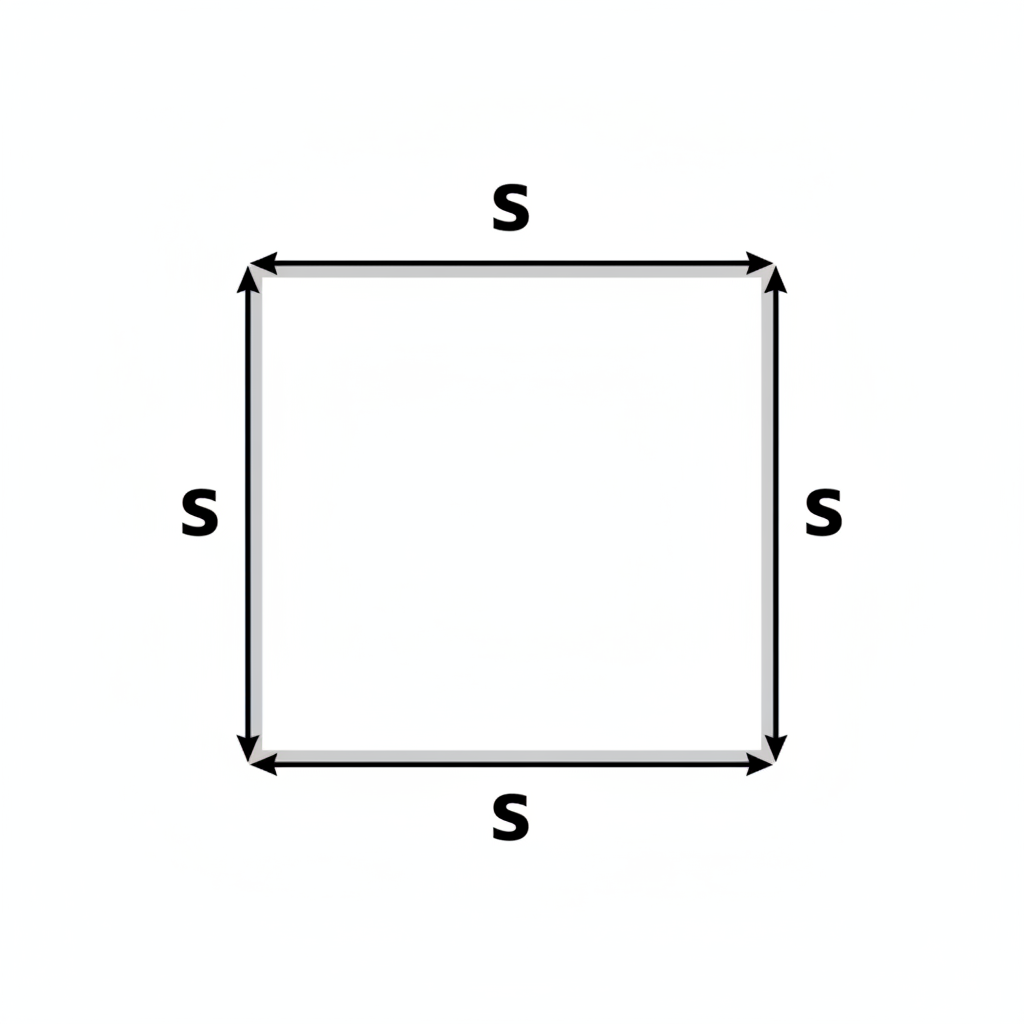
This is a square. Each side is labeled with the number 7. To find the perimeter, we add up all the sides: 7 + 7 + 7 + 7 = 28. The perimeter of this square is 28!
Now, look at this shape:
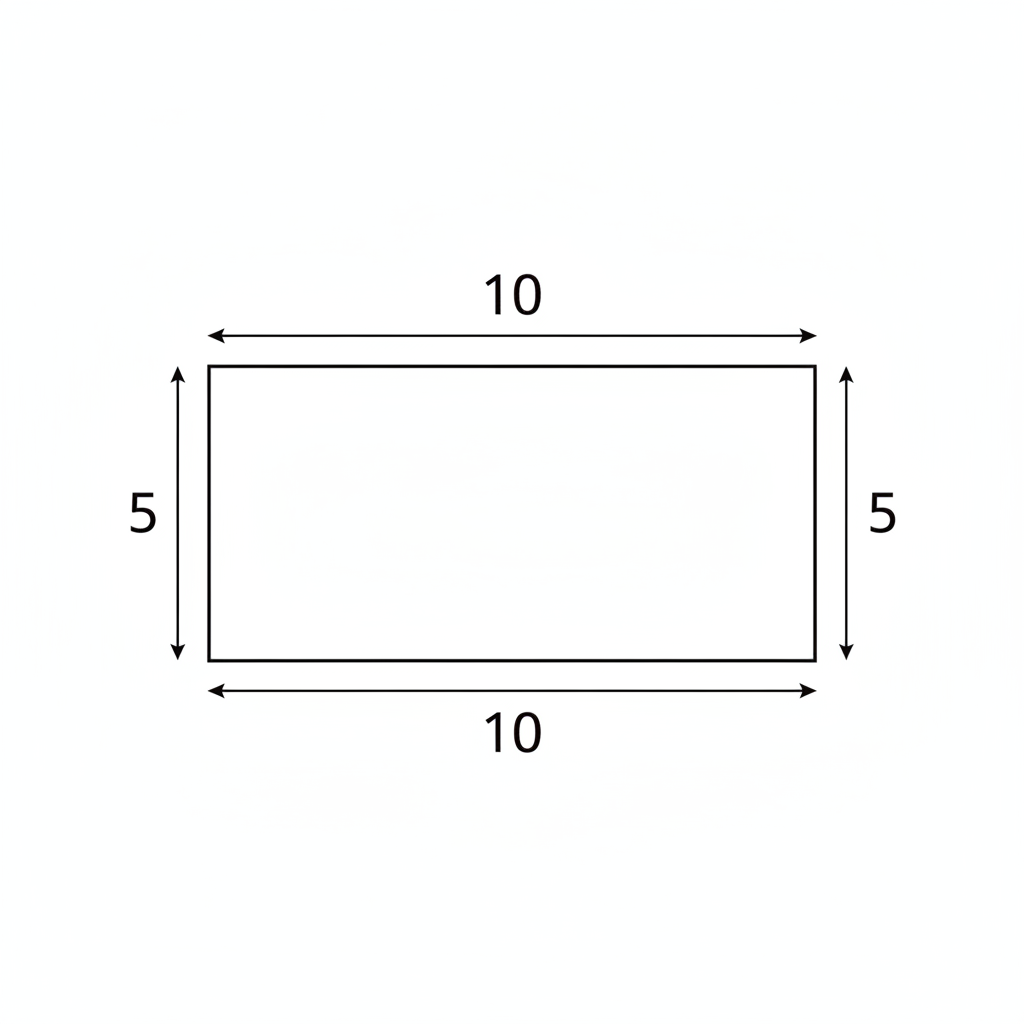
This is a rectangle. One side is labeled 10, and the other is labeled 5. Remember, opposite sides of a rectangle are equal. So, the side opposite the 10 is also 10, and the side opposite the 5 is also 5. To find the perimeter, we add them all up: 10 + 5 + 10 + 5 = 30. The perimeter of this rectangle is 30!
Key Idea: It's all about ADDING the OUTSIDE EDGES!
Don't forget, perimeter is just a fancy word for the total length around the outside of a shape. You can find it by adding up the lengths of all the sides!
Keep learning, free
Create a free Syllabax account to unlock practice questions and games for this topic.
Visual Learning Enhanced! 🚀
To help you master this topic, we use Advanced Syllabax AI to generate detailed diagrams and visual models.
Note on Visuals: The AI sometimes makes spelling errors in image labels. Please refer to the lesson text for the correct terminology.