Using the Enter Key
Watch this topic in 60 seconds
Free preview · Lesson 1
Understanding Using the Enter Key
Discovering the Amazing Enter Key!
Hello, young computer explorers! Today, we're going to meet a very special key on your computer keyboard. It's called the Enter Key! Think of your keyboard as a big toy box filled with many buttons. Each button has a special job, and the Enter key has two very important jobs!
Where is the Enter Key?
Look at your keyboard. Can you find a key that is usually a bit bigger than most letter keys? It often has a special shape, like an upside-down 'L' or just a long rectangle. It's usually on the right side of the keyboard, near the letters and numbers. It might even have the word 'Enter' on it, or a little arrow that points down and then turns left. That's our special key!
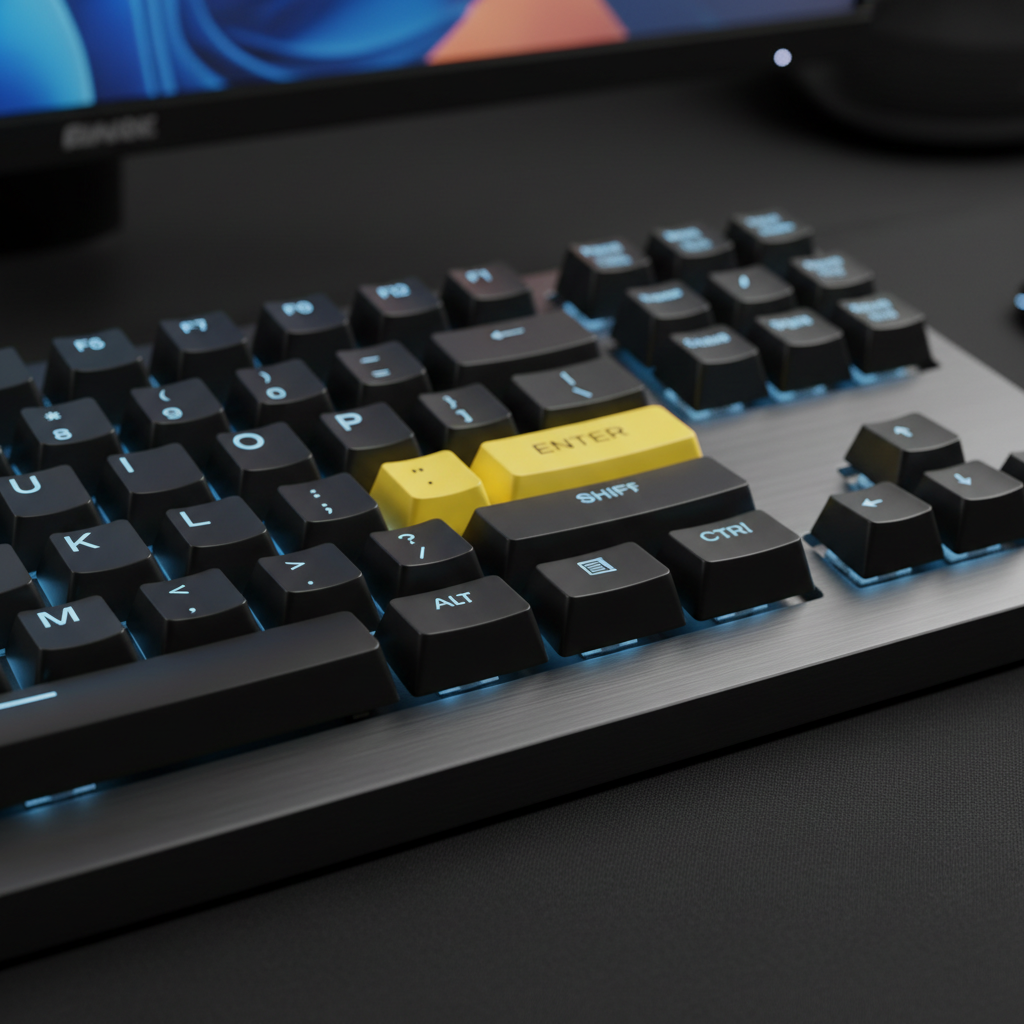
Job Number 1: Starting a New Line (Like a Fresh Start!)
Imagine you are drawing a beautiful picture on a piece of paper. You draw a big sun and some clouds. Now, you want to draw a green field and flowers, but you don't want to draw right on top of your sun! What do you do? You start drawing lower down on the paper, right? You make a new 'line' for your field!
The Enter key does something very similar when you are typing words on a computer! When you type a sentence, like "I love to play!" and you want to start a brand new sentence below it, you press the Enter key. It's like telling the computer, "Okay, I'm done with this line, let's go to the next one, please!"
- Analogy 1: Building with Blocks: Think about building a tall tower with blocks. When you finish one layer of blocks, you don't put the next block right next to it on the same layer, do you? No, you start a new layer on top! The Enter key helps you start a new 'layer' or 'line' for your words.
- Analogy 2: A New Row in Your Garden: If you are planting seeds in a garden, you plant one row of carrots. When that row is full, you don't try to squeeze more carrots into it! You start a brand new row next to it for your tomatoes. The Enter key helps your words start a new 'row' on the screen.
So, when you are writing a story or an email, and you want to make your text look neat and easy to read, you press the Enter key to move down and start writing on a fresh, new line!
Job Number 2: Telling the Computer "Go!" or "Do It!" (Like a Magic Button!)
The Enter key has another super cool job! Sometimes, it's like a magic 'Go!' button for the computer. Have you ever played a game on a computer and needed to click a 'Start' button? Or perhaps you've typed your name into a box and then needed to click 'OK' or 'Submit'?
Well, sometimes, after you type something, like your name in a box, or a question you want to ask the computer (like when you're searching for your favorite cartoon character), you can press the Enter key instead of clicking a button with your mouse! It tells the computer, "Hey! I'm finished typing, and now I want you to do what I just told you to do! Go for it!"
- Analogy 3: Ringing a Doorbell: Imagine you go to your friend's house. You don't just stand there after you arrive, right? You ring the doorbell or knock on the door to let them know you're there and want to come in! Pressing Enter is like ringing the computer's doorbell – it tells the computer to pay attention and do something.
- Analogy 4: Pushing a Play Button: When you have a toy car that needs batteries, you put the batteries in, and then what? You push the 'Play' button or 'On' button to make it go! The Enter key can be like that 'Play' button for the computer, making it start an action or send information.
So, whether you're typing your password to log in, searching for a fun video, or sending a quick message, the Enter key can often be your powerful 'Go!' button to make things happen!
Why is the Enter Key So Important?
The Enter key helps us talk to the computer clearly. It makes our words look neat and easy to read by putting them on new lines. And it helps us tell the computer to do things, like finding information or sending a message. Without it, typing would be messy, and computers might not know when we want them to act!
So next time you're on the computer, remember your friend, the Enter key. It's there to help you start fresh lines and make the computer say 'Go!'
Keep learning, free
Create a free Syllabax account to unlock practice questions and games for this topic.
Visual Learning Enhanced! 🚀
To help you master this topic, we use Advanced Syllabax AI to generate detailed diagrams and visual models.
Note on Visuals: The AI sometimes makes spelling errors in image labels. Please refer to the lesson text for the correct terminology.