Computers at School
Watch this topic in 60 seconds
Free preview · Lesson 1
Understanding Computers at School
Computers at School: Your Amazing Learning Helpers!
Hello, super learners! Today, we're going to talk about something very exciting and useful that you see almost every day at school: computers! Think of a computer as a super smart helper that can do many, many things to make learning fun and easy. It's like having a special friend that knows lots of games, stories, and answers to your questions, all packed into a box!
Just like you have different body parts that help you do different things (like eyes for seeing, ears for hearing, and hands for touching), a computer also has different parts that work together as a team. Let's meet these important team members!
The Main Parts of a Computer Team
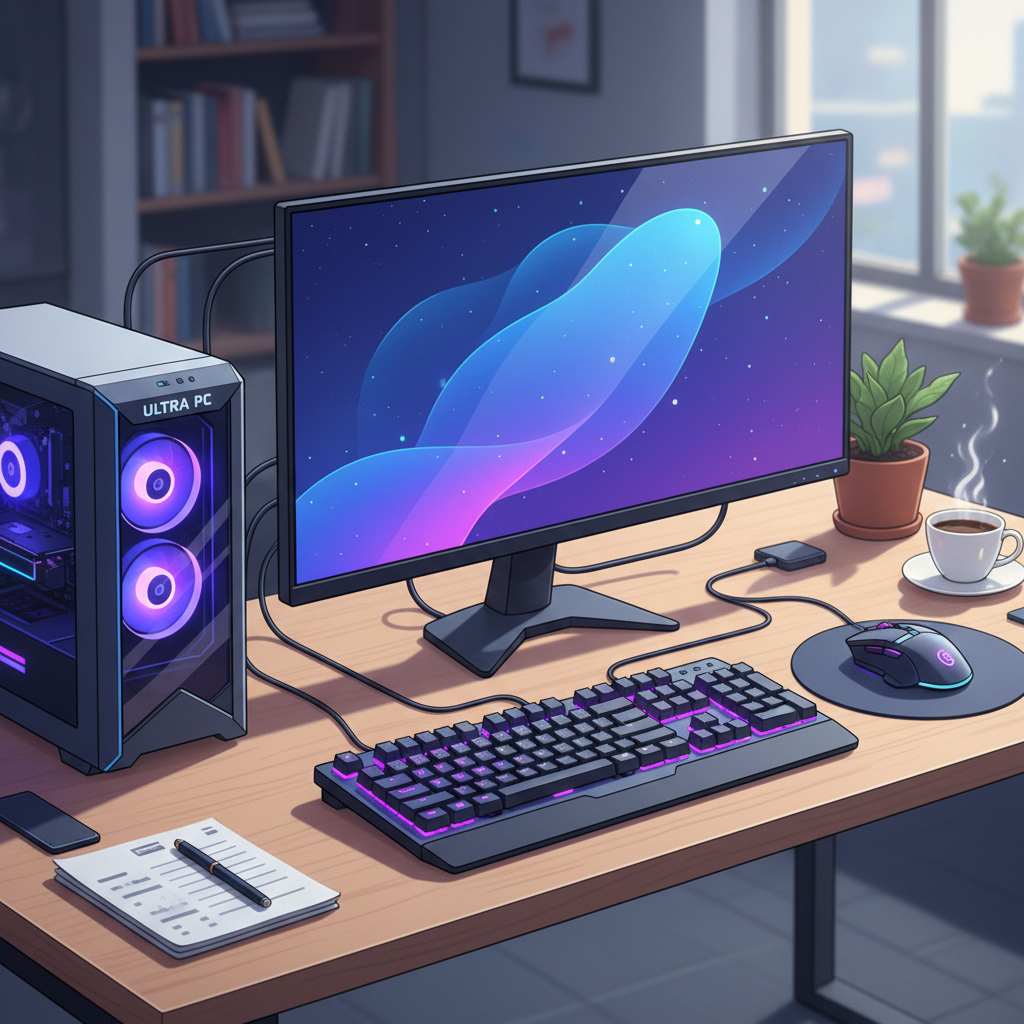
1. The Monitor: The Computer's TV Screen!
The monitor looks a lot like a television screen. It's where you see all the pictures, words, and videos from the computer. When you draw a picture, play a game, or read a story, you're looking at it on the monitor. It shows you everything the computer is 'thinking' or 'doing'. Imagine it's a magic window into the computer's world!
2. The Keyboard: Your Magic Typewriter!
The keyboard is a flat board covered with lots of buttons called 'keys'. Each key has a letter, a number, or a symbol on it. When you press these keys, you can type words, numbers, and send instructions to the computer. It's like a secret code language that you use to tell the computer what to do! Want to write your name? Use the keyboard! Want to search for a fun animal video? Type it on the keyboard!
3. The Mouse: Your Little Pointer Pet!
The mouse is a small device that fits in your hand. It has buttons and sometimes a little wheel. When you move the mouse on your desk, a little arrow or pointer moves on the computer screen. This pointer is like your finger, helping you point to things and click on them to make things happen. It's like having a tiny, friendly pet that helps you navigate around the screen!
4. The CPU (Central Processing Unit): The Computer's Brain!
This is often a big box, sometimes called the 'tower', that sits near the monitor. The CPU is the most important part because it's the computer's brain! It's where all the 'thinking' and 'remembering' happens. When you tell the computer to do something, the CPU figures out how to do it. Without the CPU, the other parts wouldn't know what to do, just like your body needs your brain to work!
Other Helpful Parts:
- Speakers: These are like your computer's mouth! They make sounds so you can hear music, stories, or the sounds from games and videos.
- Printer: This is a machine that takes what you see on the screen and puts it on paper. It's like a magic drawing machine that can print your pictures or stories!
What Can We Do with Computers at School?
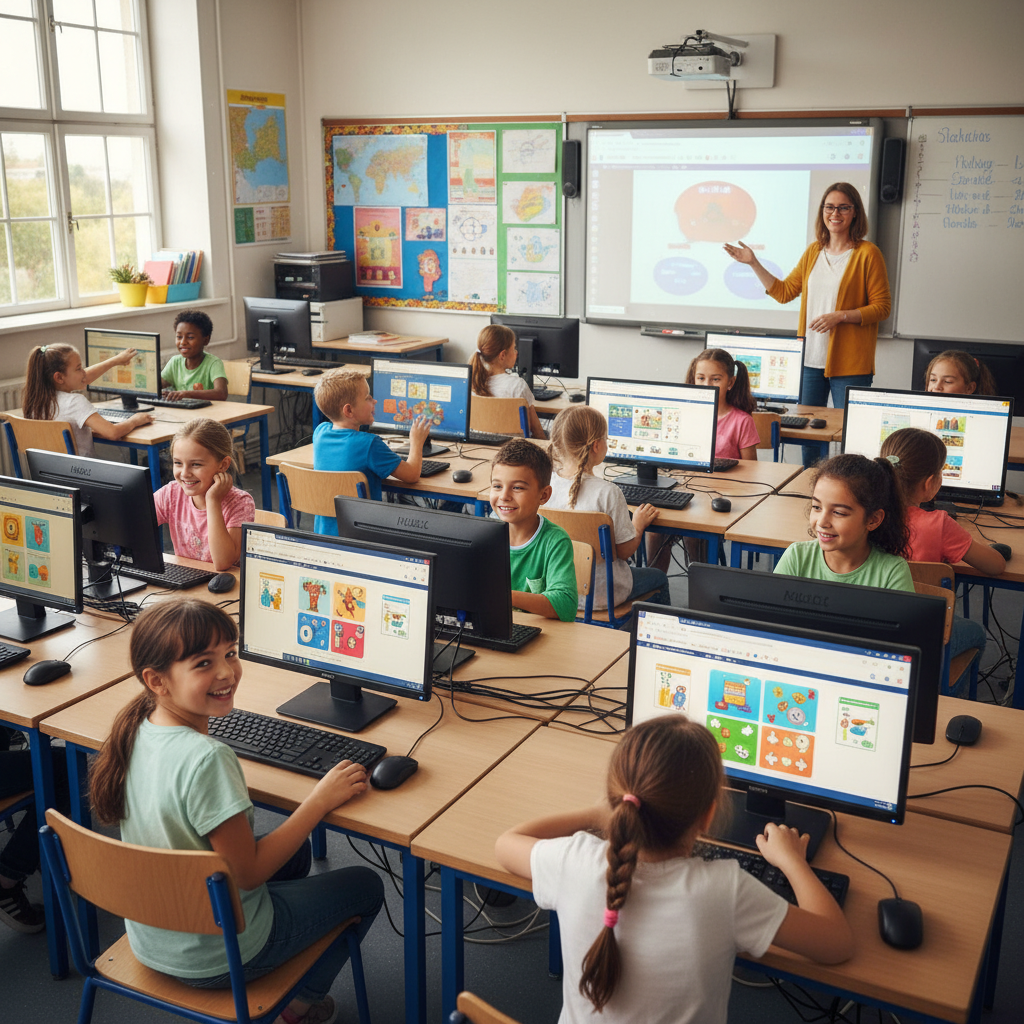
Computers are amazing tools for learning and having fun. Here are some of the cool things you can do:
1. Play Learning Games:
Many computer games are designed to help you learn letters, numbers, shapes, and even new languages. They make learning feel like an adventure!
2. Type Stories and Reports:
Instead of writing with a pencil, you can use the keyboard to type your stories, poems, or school reports. It's a neat way to see your words clearly and change them easily!
3. Draw and Create Art:
Computers have special programs that let you draw, paint, and create wonderful pictures using a mouse or even a special pen. You can choose any color you want and make amazing digital art!
4. Watch Educational Videos:
Your teachers might show you videos on the computer to learn about animals, space, history, or how things work. It's like going on a field trip without leaving your classroom!
5. Find Information:
With a grown-up's help, you can use the computer to look up information about almost anything! If you want to know about dinosaurs or how a rainbow is formed, the computer can help you find answers. It's like having a giant library full of books, all in one place!
 ⚠️ This picture may have spelling mistakes. Trust the words in the lesson.
Being a Responsible Computer User
Because computers are so special and helpful, it's important to use them carefully and responsibly. Here are some golden rules:
- Always Ask for Help: If you're not sure what to do, or if something isn't working right, always ask your teacher or a grown-up for help. Don't try to fix it yourself!
- Be Gentle: Computers are delicate. Use the keyboard, mouse, and monitor gently. Don't hit the keys hard or push the screen. Treat the computer as kindly as you would treat your favorite toy.
- Keep it Clean: Always make sure your hands are clean and dry before touching the computer. Food and drinks should stay far away from the computer to keep it from getting messy or broken.
- Stay Safe Online: When you're using the internet, always have a grown-up with you. Never give out your name, address, phone number, or other personal information to anyone online without asking your grown-up first. Think of the internet like a big park, and your grown-up is there to keep you safe!
- Share and Take Turns: If you're using a computer with classmates, remember to share and take turns. Everyone should get a chance to learn and play!
Conclusion
Computers are amazing tools that help us learn, play, and discover new things every day at school. They have different parts that all work together, just like a team. By being gentle, responsible, and asking for help, you can make the most of these incredible learning helpers. Keep exploring and have fun learning with computers!
Keep learning, free
Create a free Syllabax account to unlock practice questions and games for this topic.
Visual Learning Enhanced! 🚀
To help you master this topic, we use Advanced Syllabax AI to generate detailed diagrams and visual models.
Note on Visuals: The AI sometimes makes spelling errors in image labels. Please refer to the lesson text for the correct terminology.